
Here’s a rundown of the best blogging tools for beginners—free and paid—if you’re just starting out
I’ve had many fellow travelers ask me how I do all the things needed for this travel blog and everything that goes into it. The answer usually comes down to having some seriously strong digital and blogging tools in my toolbox. This is my massive breakdown of blogging tools for beginners along with lots of practical advice if you’re thinking of starting a blog. Some of these tools, software, and apps are free, yet some aren’t free—but well worth the investment.
And yes, as of this writing I’m still creating everything on this website solo. A labor of love my friend.

Join the email list to stay in the loop on new releases!
Please enable JavaScript in your browser to submit the form
This site participates in the Amazon Services LLC Associates Program and other affiliate programs and may earn from qualifying purchases.
TL;DR
- Website Hosting, WordPress & Themes: Bluehost, Hostgator, Elegant Themes, Kadence Theme
- Keyword Research, SEO Optimization, Analytics: Yoast SEO, TubeBuddy
- Learning & Ongoing Ed.: Skillshare
- Photo/Video Editing, Design/Layout: Adobe Creative Suite, Canva
- Writing & Grammar: Scrivener, Grammarly
- VPNs & Password Managers: SurfShark VPN, ExpressVPN, 1Password
- Email Mktg/Lists, Funnels: Mailerlite, ConvertKit
- Time-tracking & Project Mgmt: Toggl Track, Trello
- International Phone/Data: Google Fi
- Affiliate networks: Awin, Partnerize
As a graphic designer by trade (here’s the hard proof), I’ve been using many of these apps and software in one form or another my entire professional career. Whether blogging-specific or simply design and photography related, they work together.
Back in the day, these were typically only available on desktops. But nowadays most of the programs have extremely capable apps that allow me to work seamlessly while mobile, which is pretty handy.
I’m literally writing this sentence while on my tablet…on a train from Barcelona to Valencia, Spain.
Website hosting, WordPress & themes
Website and blog hosting from free to paid
Of course, the first thing you need if you’re starting a blog or site is to have a home for it. That’s where a host (or server) comes in. If you’re starting a new blog, you can definitely go with a big gun like Bluehost, Hostgator, or similar. I’ve used both in the past.
Many host providers like Bluehost or Hostgator have “free hosting” or extremely cheap “shared” hosting options that are great tools for beginner bloggers.
Just keep in mind that shared hosting means your site is on a server with potentially hundreds of other sites. This can cause speed issues as well as vulnerability issues.
Eventually I needed a more personal touch and the speed and security that comes with dedicated server hosting. Now I use a smaller, independent host, but they’re attentive and available—but not taking new clients at the moment.
Not having a lot of money means that going with free or cheap hosting with Bluehost, Hostgator, or similar is necessary when you’re just starting a blog or website.
READ NEXT: The Ultimate Wanderluster, Nomad Adjacent, Chronic-preneur Gift Guide
WordPress themes & page-builders, oh my
As with half the world, I use WordPress for the bones of this website. If you looked at my site pre-2022, it looked different. Before the current design, I used an Elegant Themes page builder. They have many good options and a pretty fantastic “pay for life” plan for all of their WordPress themes.
But be careful with page builders, as they can leave a lot in the background which makes changing themes really difficult. They’re a little more geared toward bonafide websites than blogs.
Now I use the Kadence theme and keep it simple, allowing the words and the photography to shine…hopefully.
Keyword Research & SEO optimization, and website analytics
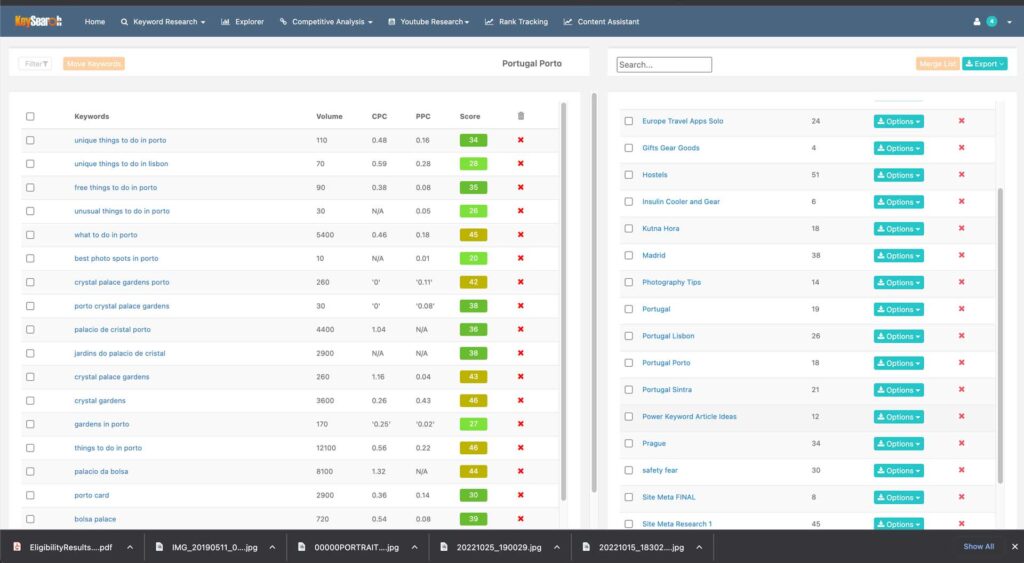
Keysearch for keyword research
For keyword research and SEO optimization research—which are really, really, really important, I use Keysearch almost primarily. It allows me to do all of my own research, make lists of keyword topics, and also spy on some other sites and what they’re doing. I use this before writing any content because keywords are literally what people may type into a search engine.
Knowing what people are searching for helps you write, so this is easily one of the most important and best blogging tools for beginners.
There are plenty of others, but they tend to cost more than Keysearch does.
SEO optimization inside WordPress
I use the Yoast SEO plugin in the backend of WordPress to optimize posts when they’re actually going into the blog. Yoast has free tools, but I pay a little more for robust WordPress tools that can help me when creating and pre-publishing posts inside WordPress.
Essentially, it’s like having a checklist built into your WordPress builder so that you don’t miss any important things before hitting publish.
Yoast SEO is a great free blogging tool, but well worth the yearly cost if you’re committed.
Connect & Share This Article
Website and blog analytics
Google Analytics is pretty much the industry standard for understanding how traffic is getting to, spending time on, or leaving your blog or website. And since Google pretty much runs the world of SEO, why not use this free blogging tool?
You have the option to dive extremely deep into your traffic, down to demographics, time on page, bounce rates, and anything you would like to know. One of the best things is that you can leave notes on your timelines in tools like Google Analytics to mark important events.
For instance, I marked a note when I launched the redesign of this site. Then I noticed that over the next few months my “time on page” per reader almost doubled!
That means the hundreds of hours and financial investment were well worth it! Validation for the win!
Learning & ongoing education…
I guess before I get too deep into the blogging tools used for a travel blog like this, I should give you a huge protip: Subscribe to Skillshare…and use it! This link gets you a discount or free month on the platform.
Skillshare has been pivotal to me in learning new software and improving my skills in video, social media, and all the other things you need if you’re a creative. I’ve been using Skillshare for years and continue to go back to the well when I need schooled on both old and new software. Seriously…
There are some wicked smart and extremely polished educators on this platform. Highly recommend.
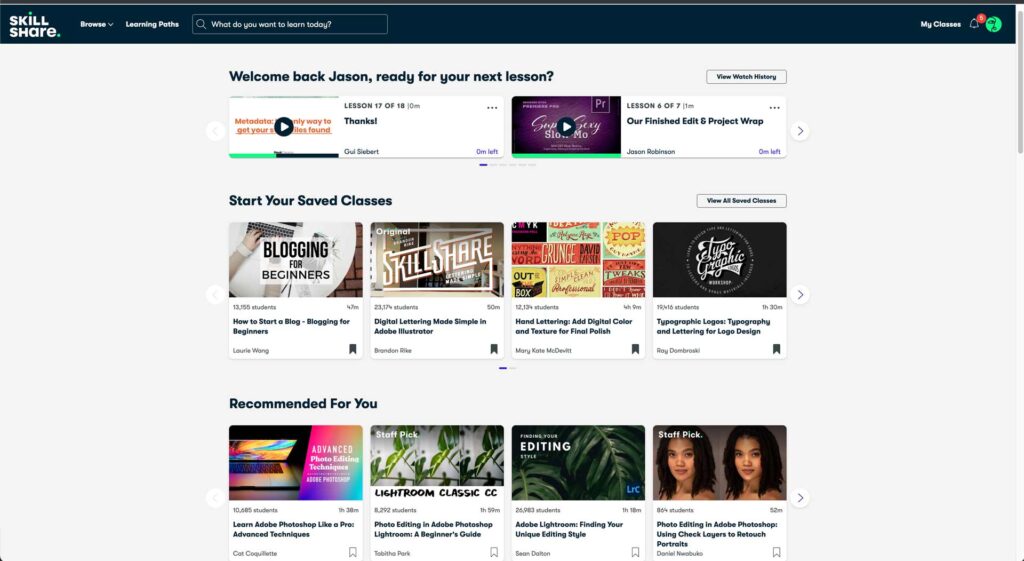
Photo & video editing software: Organizing, batching, processing, & posting
For photography, which I’m passionate about but still have a lot to learn about, I almost always spend a couple of minutes editing or processing before you see anything. Whether it’s published in blog posts on this site, on Instagram, or any other social media platform.
One day I hope that’s one of the things that makes this site stand out from the rest—attention to quality photography.
The software I use for photo and video is from the Adobe Creative Suite, specifically Lightroom—both on laptop and mobile. Lightroom allows me to take shots on mobile, import, edit and use, then syncs with my account so I can continue on the laptop. I also use if for RAW photos from my DSLR because those take some horsepower.
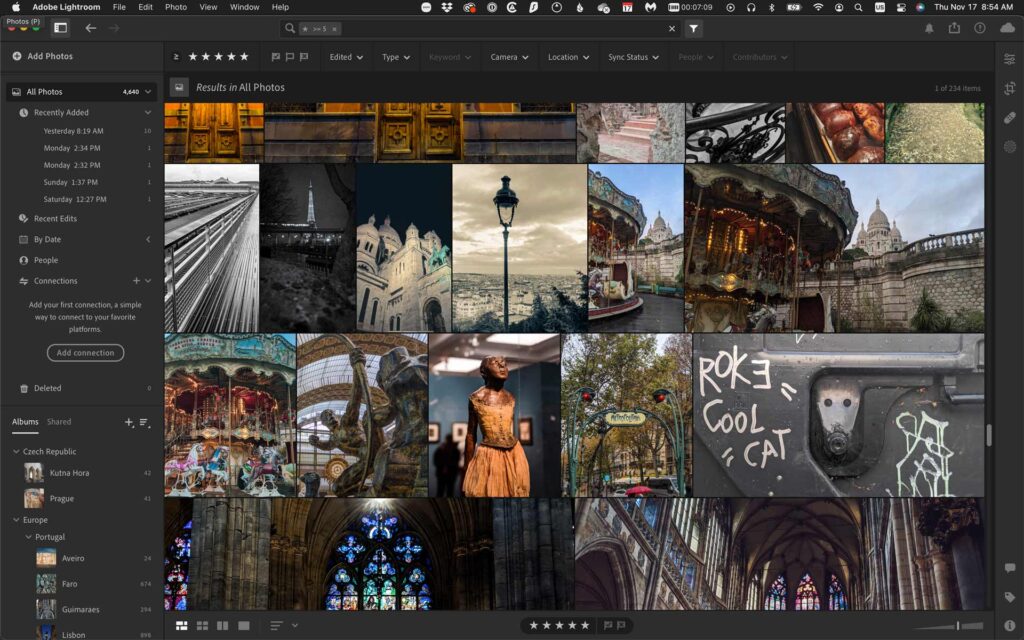
Organization is key when you have a lot of photos and destinations, and Lightroom is also built for organization. Beyond that, I also use Premiere Pro for serious video edits for YouTube.
It’s one of the industry standards for video editing. On mobile, I’ll use Adobe Rush for quick edits for Instagram or YouTube shorts.
A powerful publishing plugin for YouTube
When posting to YouTube, I highly recommend TubeBuddy, since it makes “checking all the boxes” of best practices easy. TubeBuddy helps with SEO, keywords, card insertion, end screens, etc., and can also make batch changes to descriptions, which means you save time. (You can see The Nomad Experiment YouTube channel by clicking the icon below.)
Connect & Share This Article
I saw a significant improvement in people seeing my videos in search results—thus more viewers—once I started using their interface. I suggest you start with a small, inexpensive plan then go up once you know whether YouTube is your jam.
TubeBuddy kind of ended up being a blogging tool too, since I learned a lot about SEO and keywords by using the Tubebuddy YouTube plugin.
Design & layout software: Printed books, ebooks, , & PDF freebies
Similar to photography, I use Adobe Creative Suite for page layout, and I have been for a long time. As much as I didn’t like Adobe’s subscription model in the beginning, I’ve been won over by it because I literally have all the software and apps I need for so many needs, both on laptop and mobile.
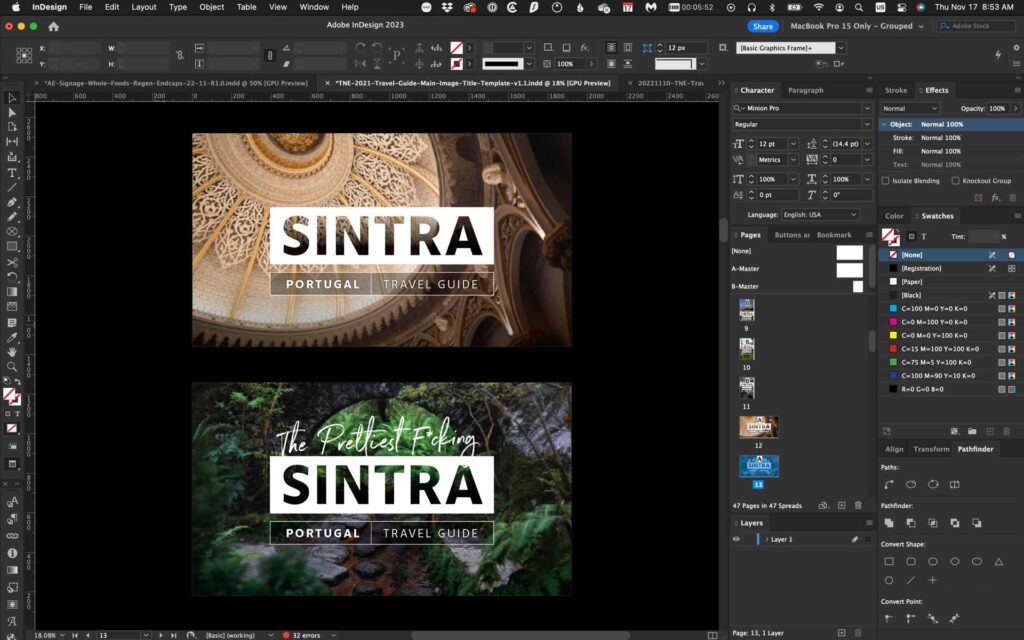
I use Adobe InDesign 90% of the time for page layout and print design. It allows me to add hyperlinks throughout designs and create fillable fields that all export out to PDFs that end up being freebies on this site.
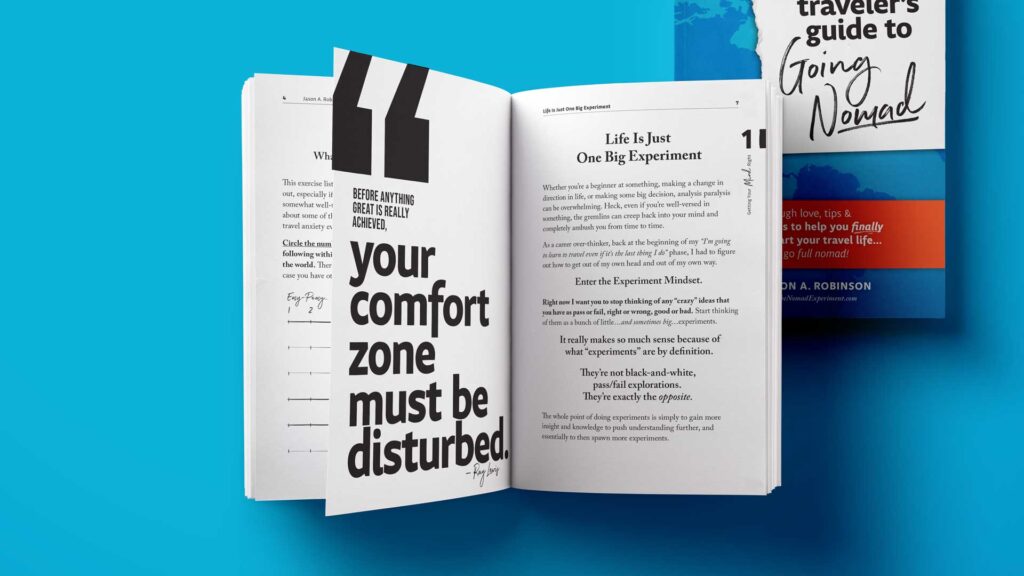
Oh, and I designed my entire 300+ page “Beginner Traveler’s Guide To Going Nomad” 100% with Adobe InDesign.
I also use Canva occasionally, as it’s free and easy to use. But I use Canva mostly for image thumbnails or Instagram slideshows. Adobe also has “Adobe Express” which is similar to Canva, and it’s included in a Creative Suite subscription, or as a standalone.
Writing programs & grammar
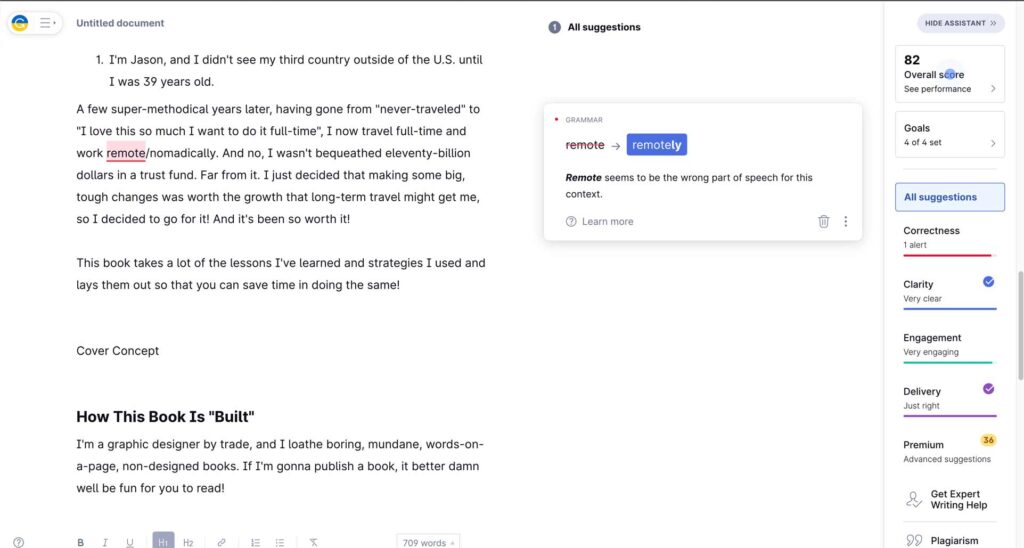
I use Quip a lot for drafting content—I’m literally drafting this article in Quip. Probably because it’s just an old go-to for me and I don’t like how much control Google has over my data, so I don’t use Google docs much. I’ll then copy and paste into other tools like Grammarly. I use Grammarly for…well…grammar, punctuation, and tone issues.
I really like how Grammarly allows me to choose the tone of the article I’m writing and keeps me on track with that.
For much more broad, long-form content like writing The Beginner Traveler’s Guide to Going Nomad, I use Scrivener. They have large manuscript organization and tools on lock. It’s kind of like Word on steroids. Not too many bells and whistles or sexy UI design, but it really helps with clearing away and allowing you to organize and write long-form content.
VPNs & password managers
If you don’t have a VPN, stop everything and get one
Regardless of whether you travel all of the time or are a nomad, you should have a VPN running at all times when using public wifi networks. It’s literally a blogging tool beginners often overlook. But using a VPN is super helpful, since a “lack of stress” is what it gives you. If you’re logging into your precious blog and a hacker gets your password, good luck!
And I know you’re using public wifi networks all the time—because I do! (I’m literally writing this sentence from Metalo Cafe in Cape Verde, Africa on a public network.) It’s so ridiculously easy for a hacker to get your passwords and content, yet it’s also ridiculously inexpensive to simply use a VPN nonstop.
I’m currently using Surfshark VPN and I’ve been very happy with it, but I’ve used ExpressVPN in the past and also recommend. Pretty much all VPNs will also give you the ability to use your VPN plan on at least 3 devices simultaneously, on the same plan.
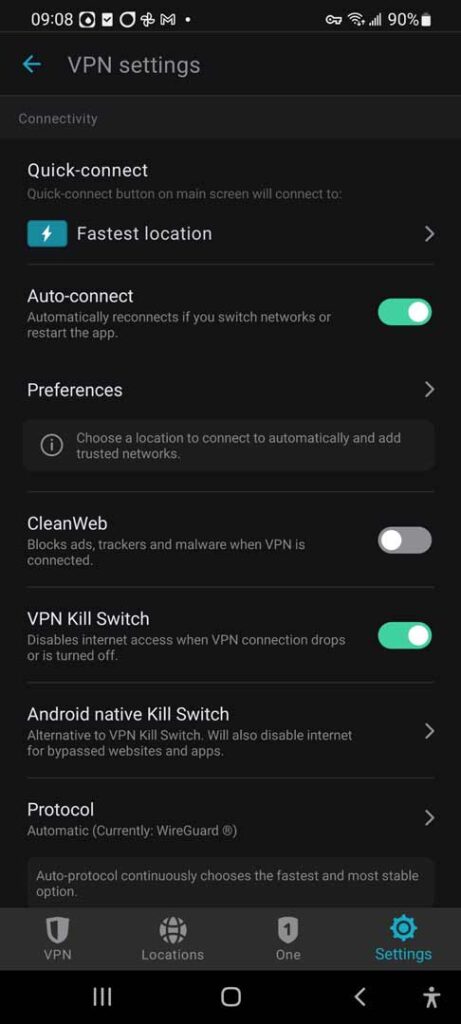
Surfshark VPN has a feature where I can turn on “Kill Switch” which won’t even allow me to use the web unless the VPN is connected, which is a brilliant safeguard!
Password managers are probably your best bet against identity fraud
Obviously, I just implored you to get…and use…a VPN. But literally on the same level of concern should be using a password manager. If you’re still using some whack combination of your birthday or your last dog’s name—in only 2-3 different variations—then if a hacker gets one of your passwords it’s not long before they have access to everything.
The best password managers will help you make every password unique and robust, then autofill fields for you so you never have to remember those super-tricky passwords.
This is a great blogging tool for beginner bloggers because starting a blog means a lot of new passwords and logins! Only $20-30 a year to save you the possibility of some major headaches—and potential financial loss or credit report havoc—seems like a small price to pay.
I’ve used 1Password for years, but there are many reputable password managers out there. Find the one that fits you!
READ NEXT: UPDATED: Safe Traveling Tips For Noobs—Keep Safe & Reduce Travel Anxiety
Travel Medical Insurance, Pre-Existing Conditions, & Type 1 Diabetes
Email marketing & email list management
One thing I was extremely bad about back when I was new to blogging was growing an email list. This is the second most important thing to do next to owning your blog or website, which allows you to control all of your intellectual property. If Instagram, Facebook, or YouTube goes away, you still have your blog and your content. But…
without an email list of past readers, you’ll have very limited ways of contacting them and monetizing!
I’ve been using Mailerlite for a couple of years now and really like it. Mailerlite is a simple, drag-and-drop email marketing and list management app that has some really good tutorials.
More importantly, they have a free plan that allows you to build a fairly large email list before you need to pay. (Oh…the email optin form below will pop your email directly in my Mailerlite list. Hint, Hint.)
Join the email list to stay in the loop on new releases!
Please enable JavaScript in your browser to submit the form
Skip aggressive but useful tools like ConvertKit until you have a substantial list built, since they tend to cost a chunk of change each month.
READ NEXT: Virtual Mailbox 101: What is a Virtual Mailbox & How I Get Mail While Traveling Full-Time
Time-tracking & project management
If you’re going to start a blog, or build any small business, I highly suggest you track your time on major time-sucks. Yes, even if you’re unlikely to make money for a long time. First, it’s good to know where your time is going…or not going.
Second, you’re less likely to lose your mind with the “I feel like I’ve been busy but I feel like I have nothing to show” head game that happens when you get lost in time-consuming work.
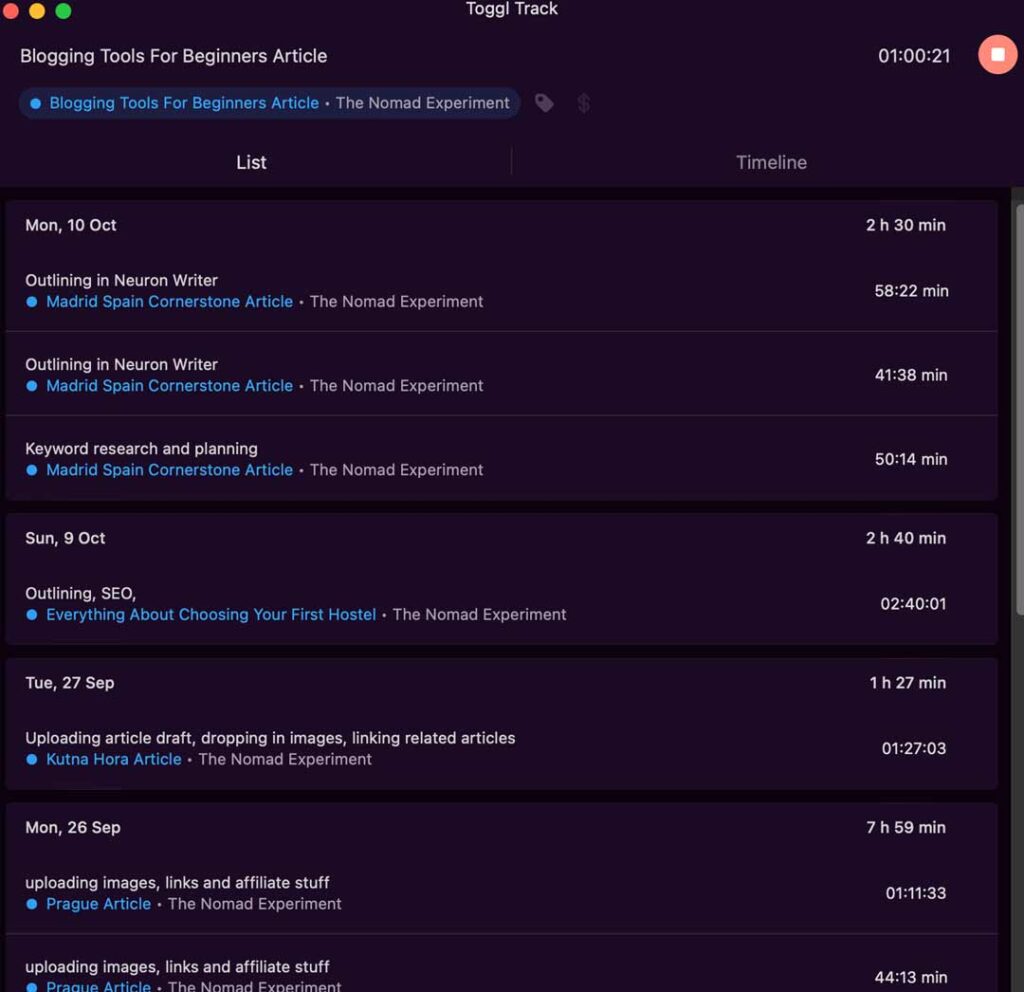
I use Toggl Track’s free plan for this and it’s more than enough. It’s definitely one of my favorite blogging tools for beginners, but also just for any small business. I create a project regularly for longer-form posts so I can see how much time from start to publish it takes me. Then when I start hiring out, I at least have a good baseline for the time involved.
Connect & Share This Article
For project management I sometimes use Trello, but honestly I’m sh*t at project management for this travel blog. Often times it just feels like I’m battling a dumpster fire, haha!
International phone calling plan & phones
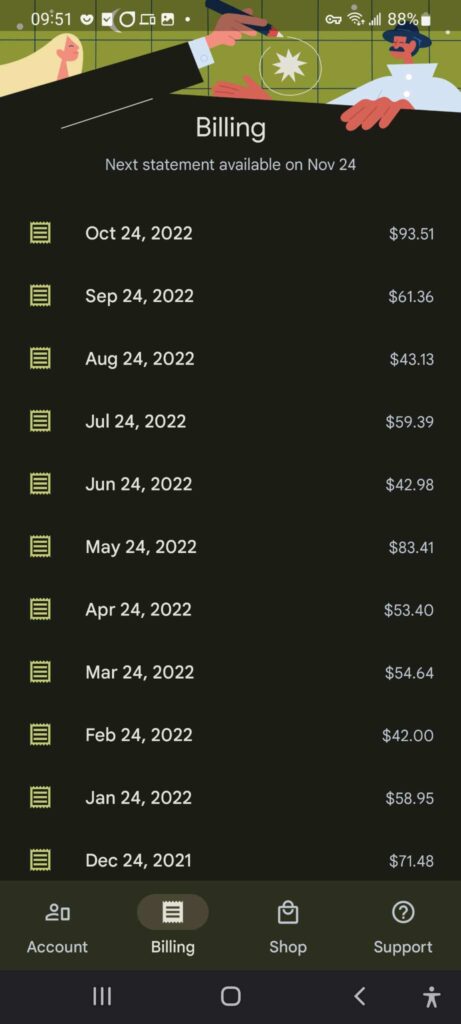
I switched from the cult of MAC when I went nomadic because I didn’t like the idea of always being force to pay 100% of an a phone bill if I was going to be on wifi a majority of the time. Apple iPhones aren’t Google fi native, so I jumped ship. Google fi and a Google Pixel was where I went, and no I use a Samsung Galaxy S20 because it allowed for an expansion SD card.
Since Google Fi allows calls on wifi and allows me to use my US number in hundreds of other countries, I rarely have to worry about landing somewhere and getting a SIM card (which means a new number, ugh). No, this isn’t technically a blogging tool, but it makes life easier and it’s tech, so it made it on the list!
Google fi still has some kinks to work out. But saving upwards of $300-400 a year because I am smart about my data use makes it well worth the investment.
Especially when our phones can cost as much as a decent computer these days.
Affiliate networks
Obviously with any blog comes the dream of making “passive” revenue in the background. What facilitates those are affiliate networks. Essentially, companies pay bloggers and others for “marketing” their products through referral links. Obviously, I only support products I’ve used or that come highly recommended, so it’s a win-win.
Affiliate networks like Awin, Partnerize, etc., help facilitate those relationships between advertisers and websites. So as you advance your blogging career, you’ll want to create relationships with them. Some companies like Safetywing travel insurance run their own affiliate program.
Keep an eye out for great products and pay attention to whether they have an affiliate network they use or if they run their own program. Add these blogging tools to your toolbox only if your blog can actually get readership and clicks.
When you get enough content on your site, reach out to see if you’re a fit for to work with them. I actually don’t suggest dipping your toes in this pool yet if you’re just starting a blog. Wait a little while.
Before you use these blogging tools for beginners…
The best advice I can give you is to have realistic expectations of how long building something as a second income can take, especially if starting a blog is that second income stream! It takes a lot of time and effort to grow your blog.
I’ve been writing and blogging for over 5 years now and I still only pull enough to pay for the expenses—and barely. Can you do it faster? Absolutely. But…
I suggest setting your expectations for a longer timeline and then putting in the work and maybe being happily surprised when you hit your goals earlier. If you’re starting with a strong social medial following, that will definitely help.
But if you know nothing about keywords, SEO optimization, email funnels, and management, or even how to edit good photos and videos, you likely have much more learning in front of you than you expect.
Recap—Blogging tools for beginners:
Website Hosting, WordPress & Themes: Bluehost, Hostgator, Elegant Themes, Kadence Theme
Keyword Research, SEO Optimization, Analytics: Yoast SEO, TubeBuddy
Learning & Ongoing Ed.: Skillshare
Photo/Video Editing, Design/Layout: Adobe Creative Suite, Canva
Writing & Grammar: Scrivener, Grammarly
VPNs & Password Managers: SurfShark VPN, ExpressVPN, 1Password
Email Mktg/Lists, Funnels: Mailerlite, ConvertKit
Time-tracking & Project Mgmt: Toggl Track, Trello
International Phone/Data: Google Fi
Affiliate networks: Awin, Partnerize
Feel free to leave a comment or question. I’ll update this as things change and progress.
Thanks for being here!
—Jason
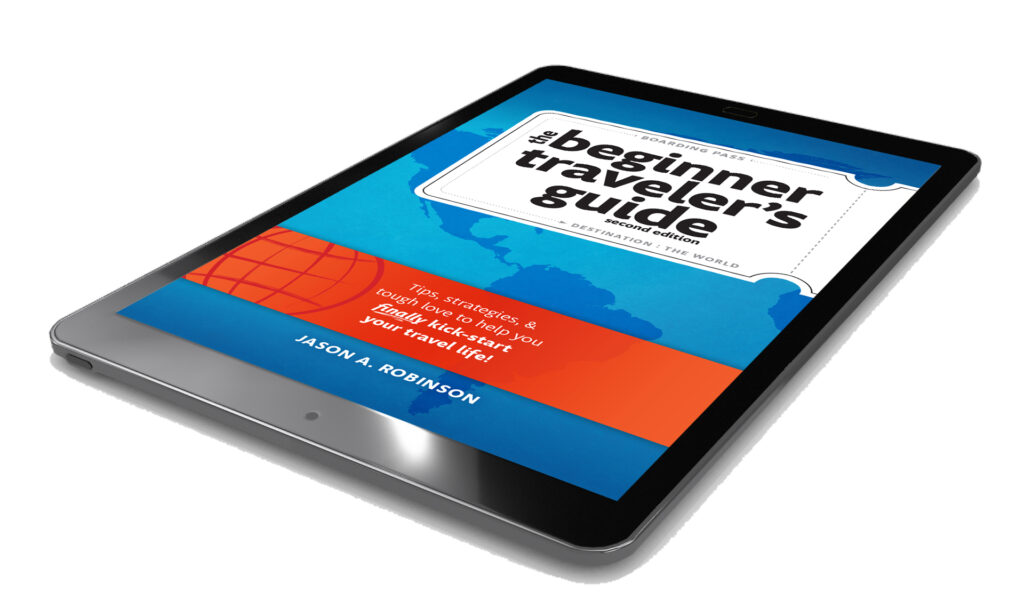
Tips, Strategies, & Tough Love To Help You Finally Kick-Start Your Travel Life!
Want to travel more but don’t really know where to start? Have a friend or family member that keeps talking about travel—but clearly needs a little help actually getting off go and making it happen? This is the no-fluff, hands-on guide to finally getting unstuck and on a travel path—with confidence, intention, and zero shame.









Leave a Reply